 CYBERSECURITY MONTH 2026

Train your teams against multi-channel phishing
Test your employees' vigilance in realistic, controlled situations across several channels. Phishing 360™ simulates eight channels: email, SMS, USB drive, QR code, physical mail, physical intrusion (building breach), phone call (vishing) and deepfake.
- 400+ templates and AI generation
- New templates every month
- False positive filtering
Suspicious sign-in link
Phishing no longer stops at email
A QR code on a parking meter, a text about a blocked parcel, a USB drive left in the lobby, a call from a voice that sounds just like the CFO.
A program limited to email covers only part of the possible situations. Phishing 360™ tests eight channels, right into the physical world with mail, USB drives and intrusion, and feeds the results into the program's risk indicators.
Eight simulation channels
As email defenses get stronger, attackers move to other channels: your employees are targeted everywhere, so your simulations should be too.
Email
Classic phishing and personalized spear phishing. Identity theft, fake invoices, malicious links.
SMS (smishing)
Urgent messages, fake bank alerts, parcel tracking links.
QR code (quishing)
Malicious QR codes on posters, emails or documents.
USB drive (baiting)
USB drives left in your premises. Test your teams' curiosity.
Phone call (vishing)
Fraudulent calls posing as IT support, the bank or a supplier.
Physical mail
Letters, badges and documents that redirect to a fraudulent QR code, number or portal.
Voice deepfake
AI voice simulations to train verification habits against executive fraud and urgent requests.
Physical intrusion (building breach)
Controlled attempts to test reception, access control and reporting.
Centralized steering
- A living library400+ templates, with new ones every month, based on recent threats: emails, login pages, attachments. Customizable through an HTML editor, EML import or an AI creation assistant, for content that fits your organization's vocabulary and context.
- Dynamic campaigns, not bulk sendsIndividualized sends spread over time, automatically built groups, segmentation and retargeting based on the risk score, with an audit or learning mode depending on the campaign goal.
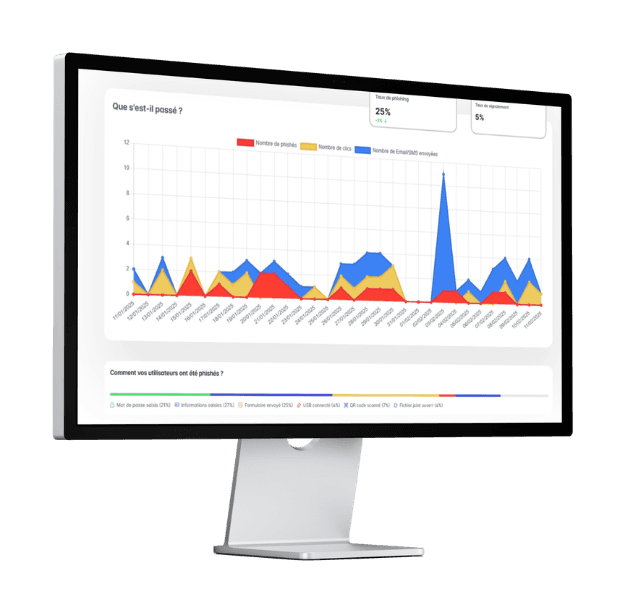
- Unified, risk-based steeringCampaign results feed the BlueSecure Risk Index™, the indicator that combines the program's signals, and reach the right teams through Smart Report™ reports.
- A learning page at the moment of the clickWhen an employee interacts with the simulation, a learning page shows the clues they could have spotted, while the context is still fresh in their mind.
- Reliable resultsFalse positive filtering removes the automatic actions of spam filters and EDR tools from the statistics. It helps tell human actions apart from processing by security tools.

MailWatch™ completes your simulations inside the mailbox
BlueSecure MailWatch™ completes your simulations inside the mailbox itself. Its vigilance banner draws attention to the risk situations you have chosen, right in the email, without calling an external AI: no data leaves your mailbox.
When doubt remains, the employee requests an in-depth analysis through a built-in button: an AI hosted in the EU, which examines only the submitted message, explains the clues and gives an immediate learning debrief. A reported Phishing 360™ simulation is recognized instantly.
Reports can also come from a dedicated forwarding address or from the BlueSecure Assistant in Teams. Risky emails are forwarded to your ticketing tool with the analysis attached. Reports are tracked as a behavioral indicator.
- Vigilance banner in the email
- Built-in analysis button
- Forwarding address or BlueSecure Assistant in Teams
Connected to your environment
- Directory and sign-in
- Microsoft 365 and Entra ID (Azure AD), Google Workspace, LDAP, Okta. Access by SSO or magic link, with directory sync depending on your configuration.
- Deliverability
- Tested during onboarding, before the pilot campaign, to make sure emails are received.
- Custom sending domains
- Option to use custom domain names to send phishing campaigns and e-learning invitations.
- Data that stays in Europe
- Platform data is hosted in the European Union by European hosting providers certified ISO 27001, which are not subject to extraterritorial laws such as the US CLOUD Act. If your context requires it, SecNumCloud, dedicated server or on-premise options are available.
Phishing 360™ for your role
CISO & CIO
Industrialize a measurable simulation program, integrated with your tools.
Finance & Insurance
Test reactions to sector-specific scenarios and support DORA-related awareness actions.
Phishing 360™ in our plans
Channels, campaign volumes and sender domains depend on the plan you choose.
Frequently asked questions
- What is a corporate phishing simulation?
- An exercise that reproduces an attack situation in a controlled environment, without exposing the organization to a real threat. It shows how people react and, depending on the settings, offers suitable learning support.
- Which attack channels can be simulated besides email?
- Seven other channels: SMS, USB drive, QR code, physical mail, physical intrusion (building breach), phone call (vishing) and deepfake.
- How can employees report a suspicious email?
- Three entry points: the analysis button built into the mailbox, a dedicated forwarding address, or Microsoft Teams through the BlueSecure Assistant. All of them feed the same reporting rate, tracked as a behavioral indicator of the program.
- How do you frame a phishing campaign legally?
- A campaign must be designed within a proportionate, documented framework compatible with the rules that apply to the organization. Information, staff representation and individual tracking arrangements should be defined with the legal team and the DPO. BlueSecure can be set up to report anonymized or aggregated results when individual tracking is not wanted.
- How do you measure human risk after a phishing campaign?
- Depending on the configuration, results can feed individual risk indicators or indicators aggregated by department or entity, completed by data from the other modules. The BlueSecure Risk Index™ combines these signals into a single steering indicator.
- How do you avoid false positives caused by security tools?
- False positive filtering identifies and removes the automatic actions of email spam filters and EDR tools, so that the measured rates reflect human actions.
- Can we create our own scenarios?
- Yes. A built-in HTML editor, import of an existing email in EML format, or an AI creation assistant that helps you build a scenario suited to your organization's vocabulary and tools.
- What happens to an employee who clicks?
- They land on a learning page showing the clues they could have spotted. The result can feed the program indicators and steer the employee toward suitable support, following the rules set by the organization.
- How many campaigns can we run?
- Campaign volumes and channels depend on the plan you choose. Up-to-date details are on the Pricing page.
See Phishing 360™ in action
See how a campaign runs, from building the scenario to analyzing the results.